Download
Configure Outlook Express for Gmail
Gmail is different from other email service. The POP3, IMAP and SMTP (Port 465) are using SSL connection and SMTP (Port 587) is using STARTTLS connection. On the other hand, there's no STARTTLS option in Outlook Express. So if you want to send emails via Port 587, please use MS Office Outlook 2007 (or above version) orThunderbird 7.0 (or above version).
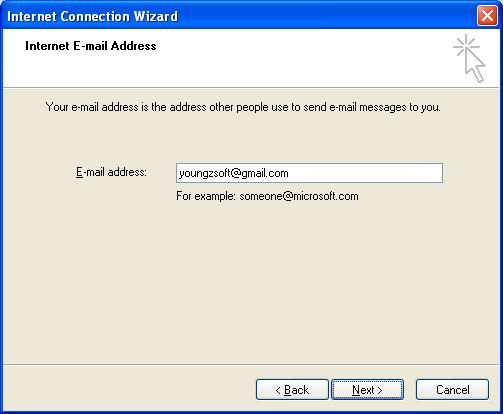
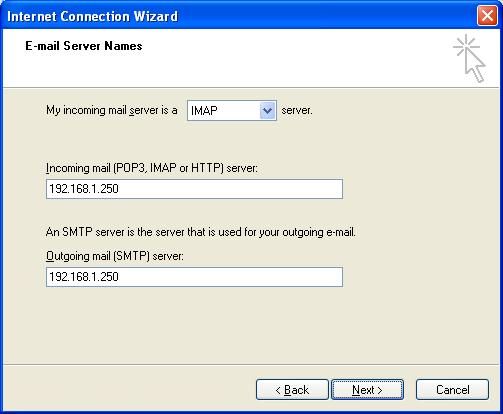
Suppose the proxy server IP address is 192.168.1.250 and the Gmail address is youngzsoft@gmail.com.
Section 1 - Create port map rules in CCProxy
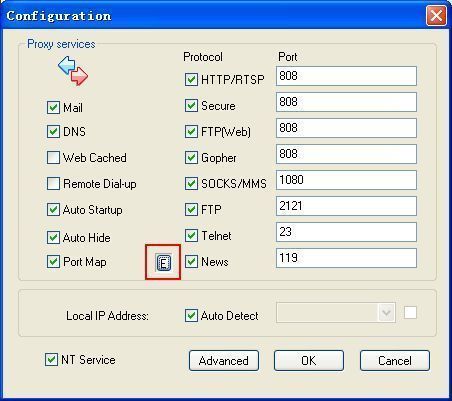
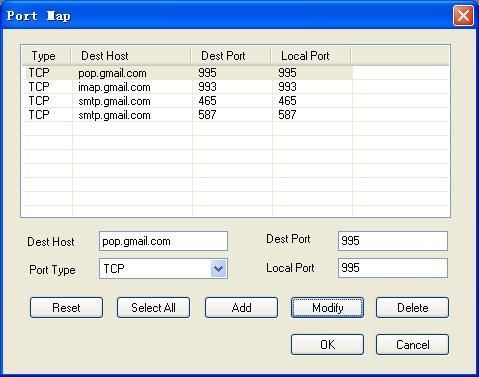
1. Open "Options" dialog box and click "E" button to open "Port Map" dialog box (Figure 1).
2. Add a port map rule for POP3 service of Gmail:
Fill "pop.gmail.com" in "Dest Host", "995" in "Dest Port", "995" in "Local Port" and select "TCP" in "Port Type", then click the "Add" button.
Add a port map rule for IMAP service of Gmail:
Fill "imap.gmail.com" in "Dest Host", "993" in "Dest Port", "993" in "Local Port" and select "TCP" in "Port Type", then click the "Add" button.
Add a port map rule for SMTP (Port 465) service of Gmail:
Fill "smtp.gmail.com" in "Dest Host", "465" in "Dest Port", "465" in "Local Port" and select "TCP" in "Port Type", then click the "Add" button.
Add a port map rule for SMTP (Port 587) service of Gmail:
Fill "smtp.gmail.com" in "Dest Host", "587" in "Dest Port", "587" in "Local Port" and select "TCP" in "Port Type", then click the "Add" button (Figure 2).
3. Keep clicking "OK" button to save above settings.
Section 2 - Make mail proxy settings in Outlook Express for Gmail (POP3)
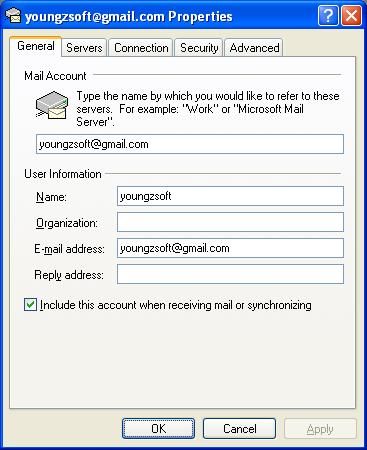
1. Open Outlook Express account properties page, click "General" tab and configure as Figure 3.
2. Click the "Servers" tab and configure as Figure 4.
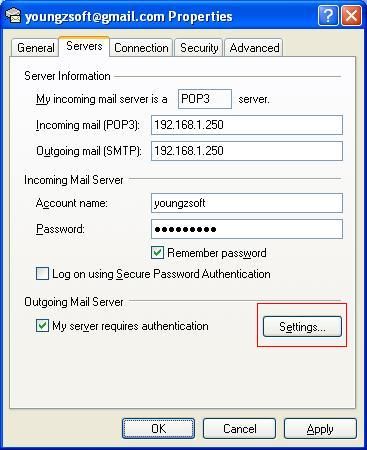
3. Click to select the "My server requires authentication" check box and click "Settings" button. Then configure as Figure 5.
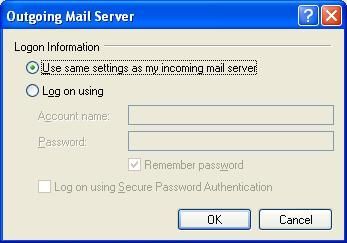
4. Click the "Advanced" button and configure as Figure 6.
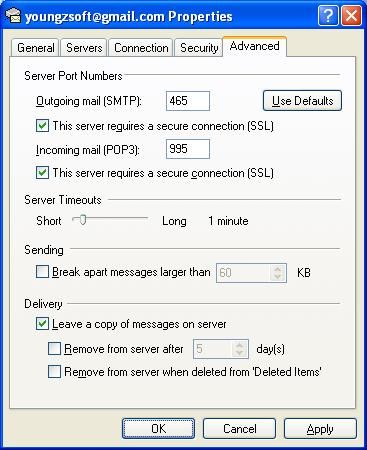
5. Click the "OK" button to save above settings.
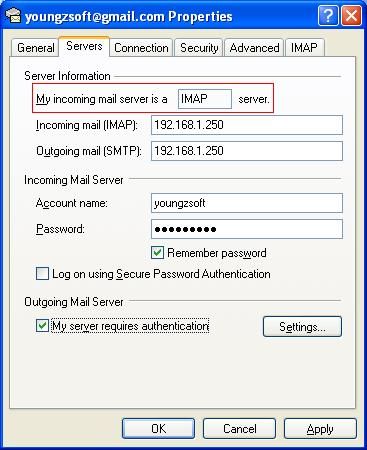
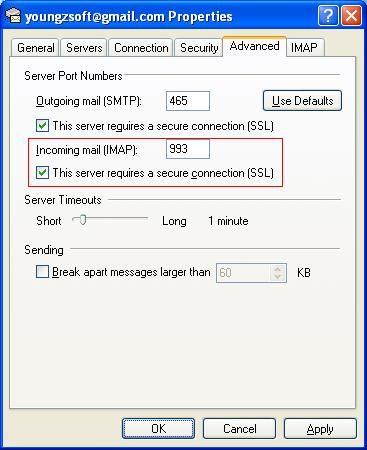
Section 3 - Make mail proxy settings in Outlook Express for Gmail (IMAP)
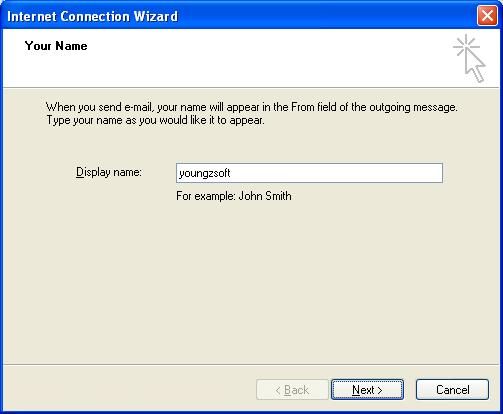
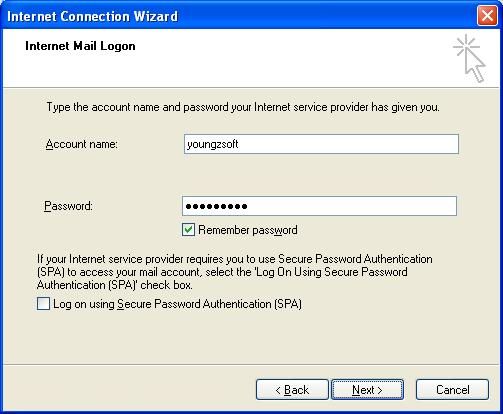
If you want to use IMAP for incoming mail server, you need to add a new account cause you can not change from POP3 to IMAP directly for the exist account. The steps are as bellow: